


We've heard you loud and clear - when you spot a machine idling too long or running inefficiently, the first question is always "who was operating it?" Until now, finding that answer meant digging through data and piecing things together. Not anymore.
Operator Data in CropView
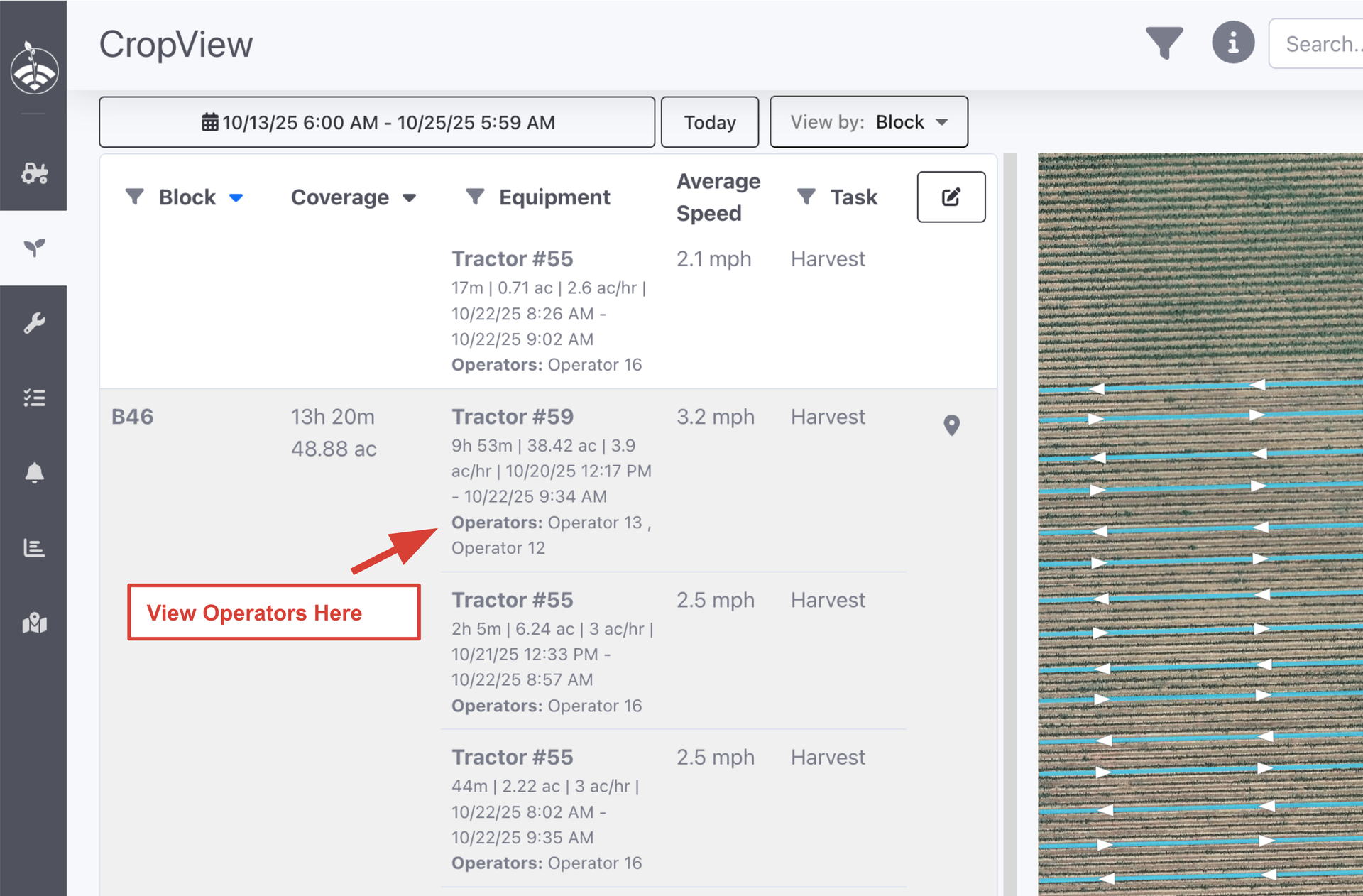
CropView now displays operator assignments for each machine. Reviewing field coverage? You'll see who was behind the wheel at a glance.
Operator Data in StatsView
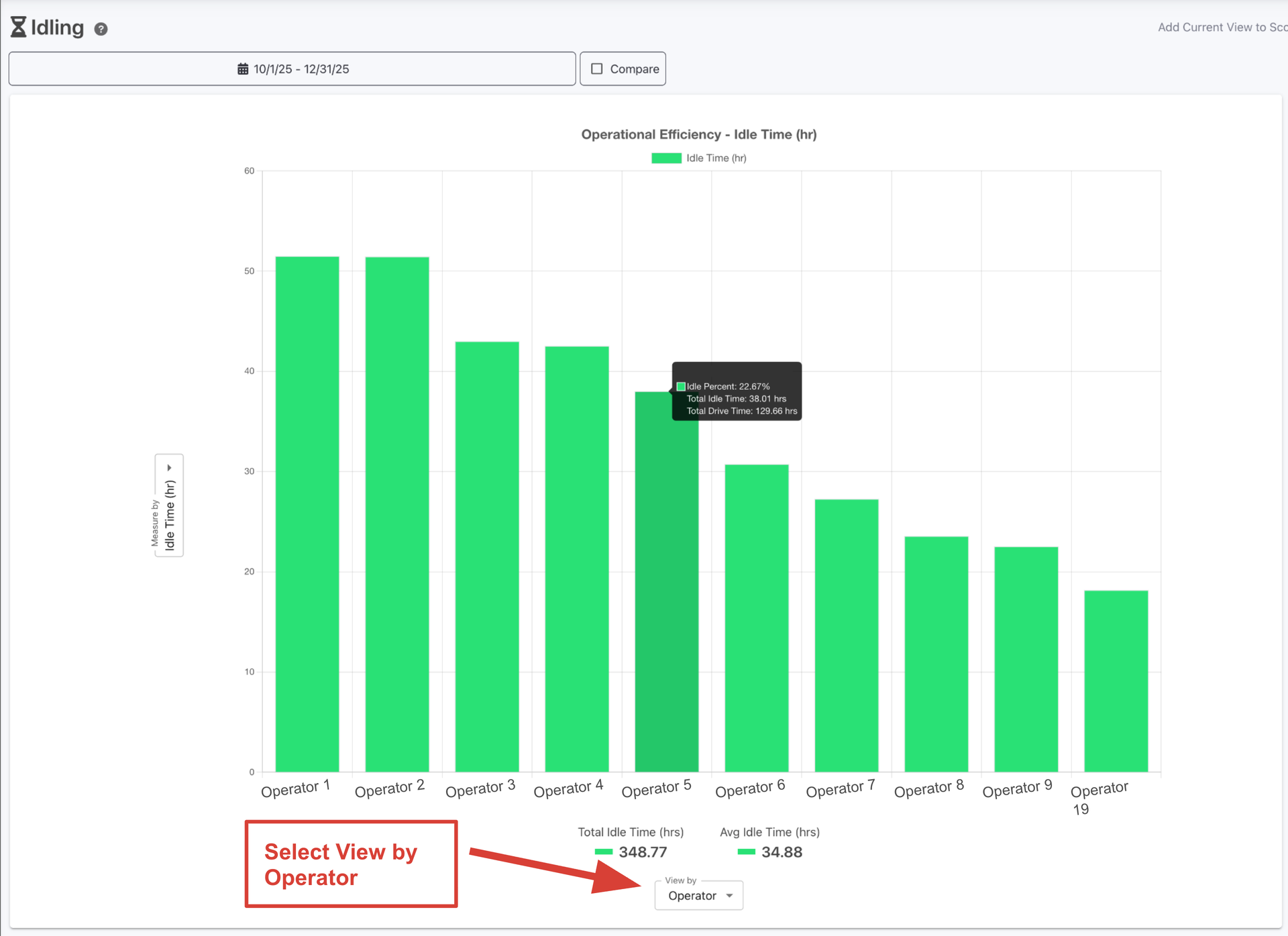
View reports by operator - see exactly who's racking up the most idle time, or compare efficiency across your team (i.e. mph, ac/hr). Just select "Operator" in the View By dropdown on reports like Idling or Farming Efficiency.
Why This Matters:
When you see a machine that's been idling excessively or underperforming, you'll know exactly who to talk to. This means faster coaching conversations and better accountability across your operation.



Loading comments...